

What gets logged in the app
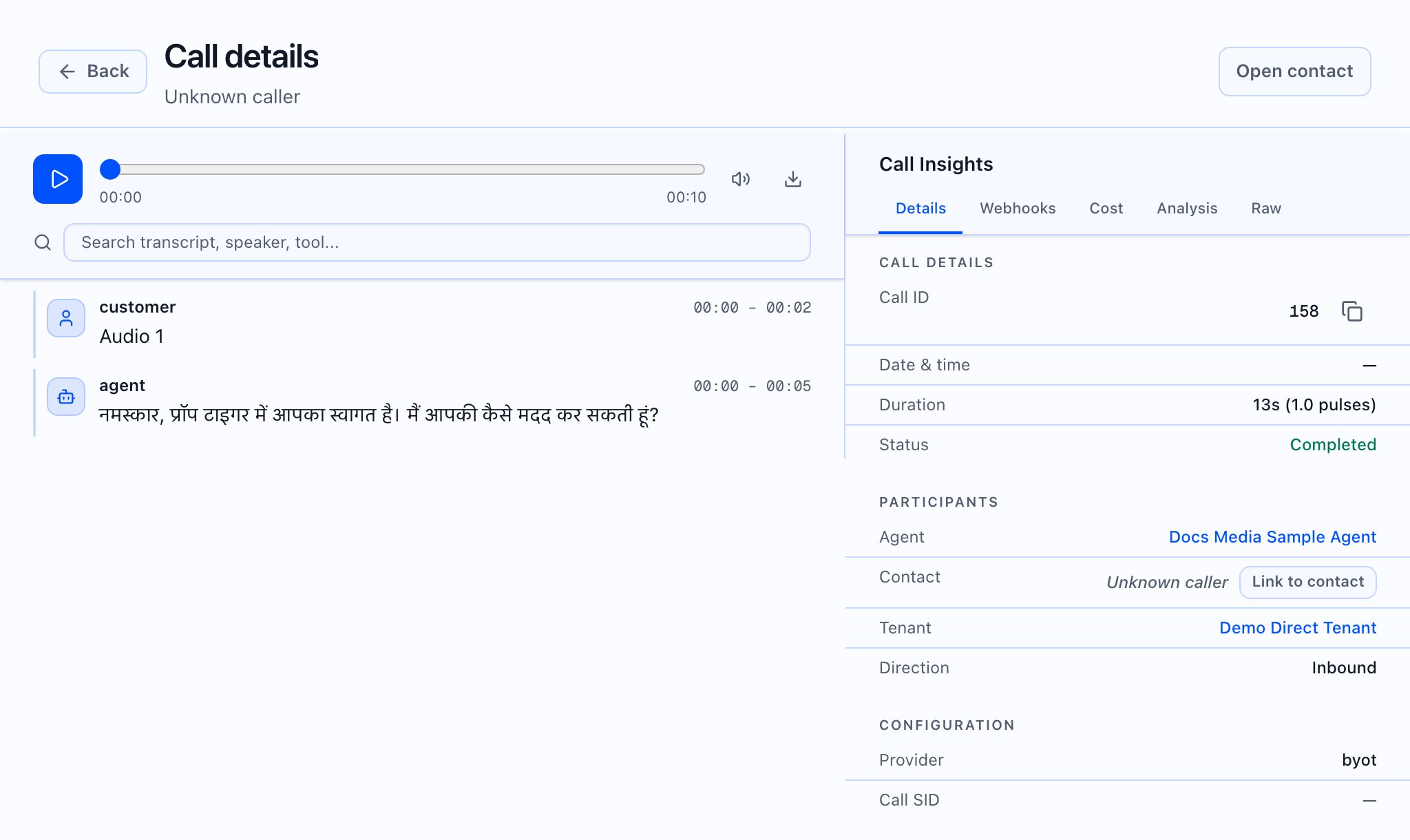
What you can review per call in the product
- Outcome and call metadata — In Call detail, the primary workspace shows call/session fields your tenant has access to (status, times, numbers, direction, and related data returned by the API).
- Transcript — When the session has a transcript, it appears in the call-detail workspace (same two-pane call detail).
- Recording — When recording or playback is available for the session, the UI surfaces it in the same workflow (gated by plan and backend data).
- Tools / analysis — Additional rails/tabs in Call detail (for example Tools, Webhooks, cost/latency/debug for permitted roles) show operational data returned for that session.
- Webhooks and deliveries — On the Webhooks tab, the app shows:
- A message when there is no webhook data; copy explains that pre-call and post-call logs appear when webhooks are configured
- Post-call webhook error blocks (URL, failure time, type) and delivery rows when metrics include them
- A separate section for inbound webhook log entries when inbound webhook logs are non-empty
- Finding webhook-related sessions in the list — On Call logs, debug presets (when filter attributes are present) can include items such as Called webhooks and Webhook failures.

 What the video should show: Open Call logs → open a completed call → show transcript/recording if available → end on Webhooks with a clear explanation of what to look for (success vs empty vs error).
What this article does not claim
- It does not describe automatic HubSpot or Salesforce field updates, because the web app does not render those CRMs as first-class UIs. Map external systems from webhook payload and API behavior documented for developers.
- It does not replace the API reference; use the developer site for request/response contracts.