

Understanding campaign analytics (in-app)
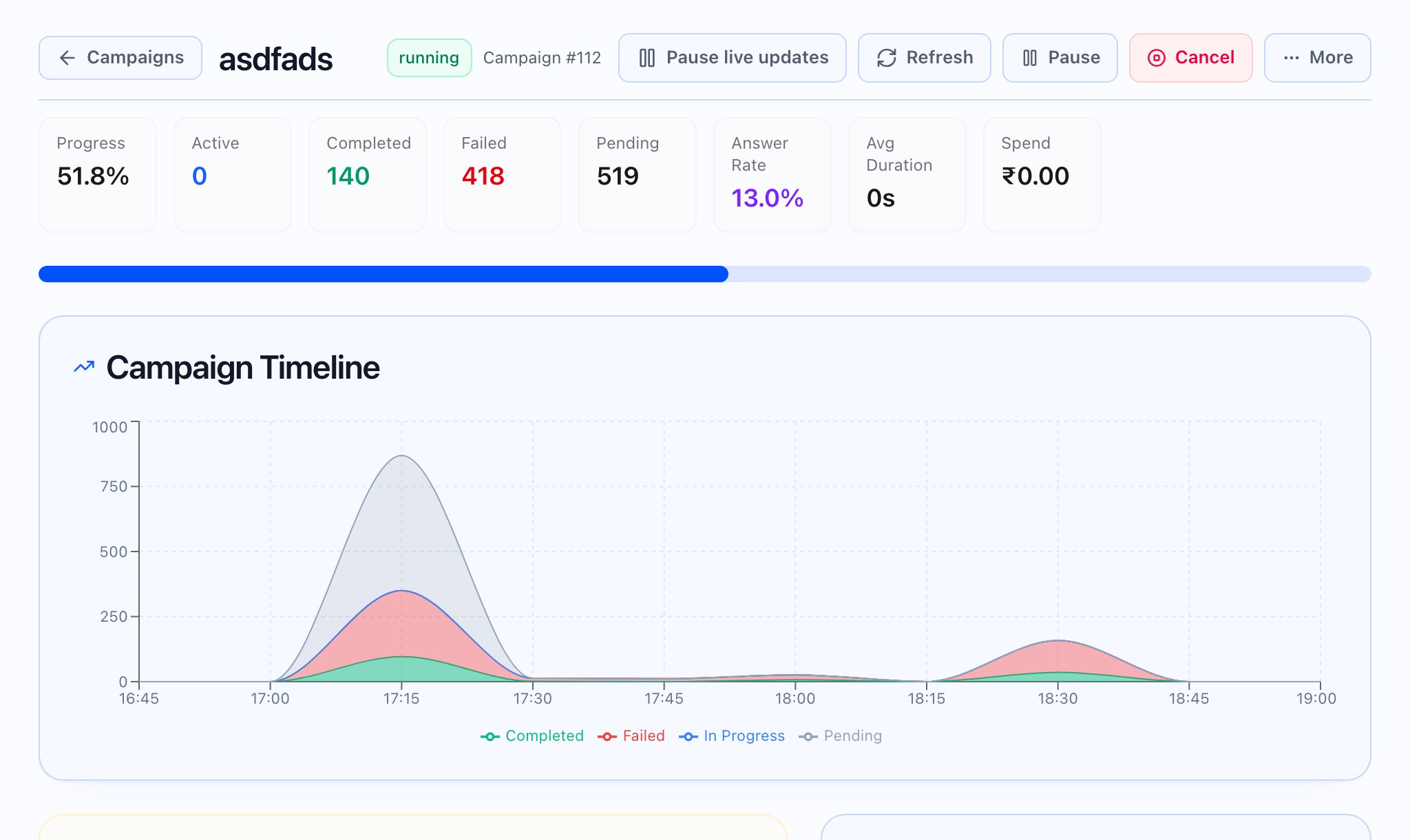
Running campaign — metrics and charts shown
The live KPI strip uses these labels (in order of meaning for operators):- Progress — overall completion percentage
- Active — calls currently in progress
- Completed — finished tasks
- Failed — failed tasks
- Pending — tasks not yet started or still queued
- Answer Rate — share of connected attempts
- Avg Duration — average talk time (shown in minutes and seconds)
- Spend — cost so far, with your currency
- Goal Progress — when goals exist: combined progress across goals, or per-goal bars with actual versus target
Terminal campaigns
For the full analytics experience (funnel, contact insights, telephony health, voicemail rate, talk and listen, conversation summary, and more), open the same campaign after it reaches a finished state — those sections appear when the data exists for that campaign.Practical review flow
- Go to Campaigns and open the campaign you care about.
- For live campaigns, watch the KPI strip and Dispatch & queue health before deep-diving into charts.
- For finished campaigns, use the date filter if you need a sub-window, then read overview → issues → dispositions → optional sections as they appear.
- Use Campaign results and View campaign calls (or similar) to line numbers up with individual tasks or sessions.