
Custom fields for contacts
Custom fields extend each contact with extra attributes your team defines. In the app, they are validated when saved, can be used in list filters, and are available when you import contacts from a spreadsheet.
Open the custom fields page
From Contacts, open More, then Manage custom fields. You can also reach the same place from the add-contact flow, where a link to manage fields appears under custom fields if that section is shown.
What you see
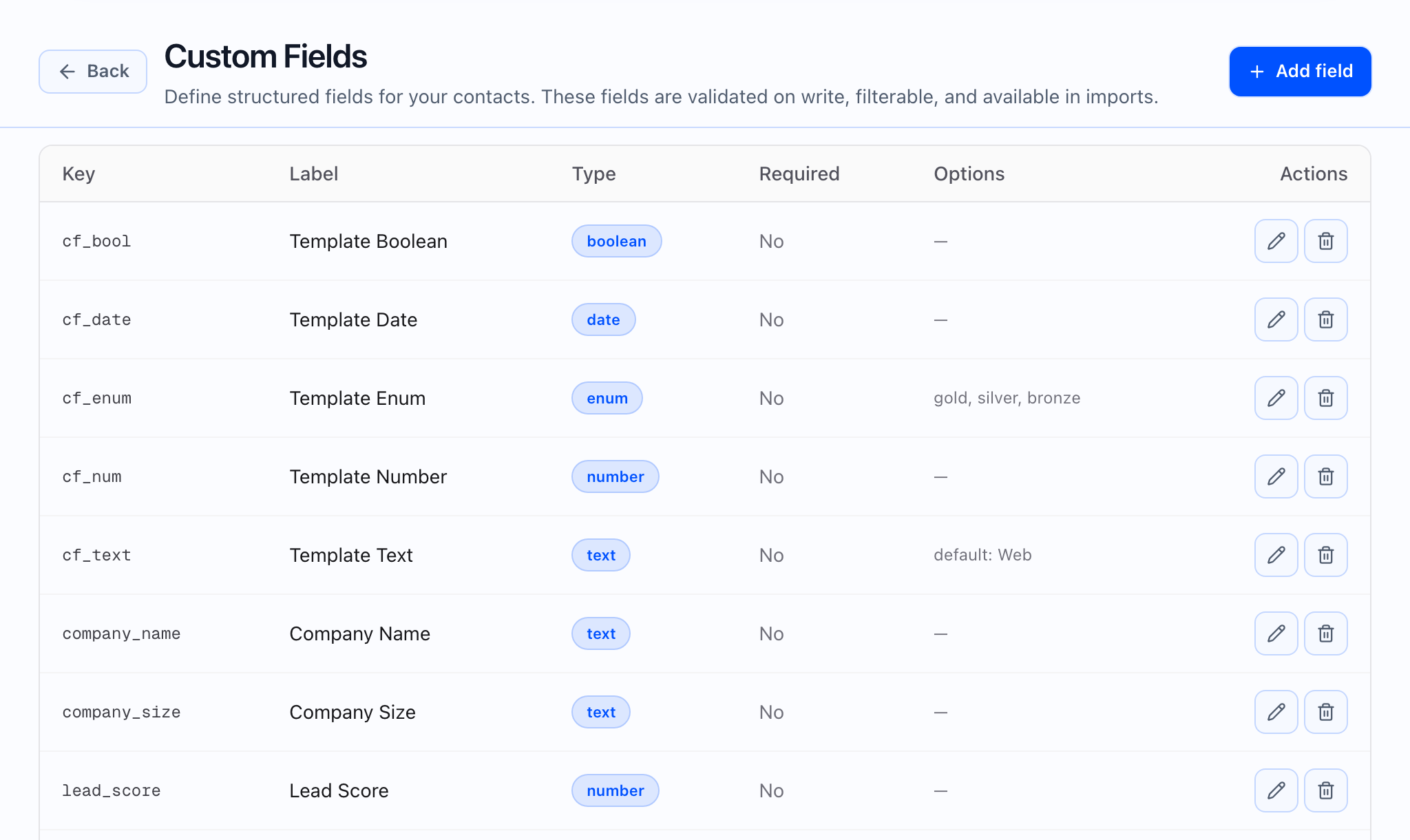
The page lists your definitions in a table. Columns typically include a technical Key (short identifier), a Label for people using the app, a Type, whether the field is Required, and Options for types that need a fixed list. If you have not created any yet, you see a short empty state explaining that there are no custom fields.
Use Add field (or the equivalent control in the header) to create a definition. Open an existing row to edit, or use delete when you need to remove a field entirely—deleting a definition also removes its stored values from contacts, so you should be intentional.
 ## Field types and settings
You can pick types such as text, number, date, true or false, and a dropdown (enum) with a list of allowed values. For dropdown fields, you usually enter the allowed options as a simple comma-separated list in the form.
- Key is a stable, lowercase, snake-style identifier, set when you create the field. It cannot be changed later. Imports refer to it through the column-mapping step; see Import contacts from CSV for how spreadsheet columns line up.
- Label is the friendly name operators see, for example “Lead source.”
- Required means new or updated data must provide a value when the app saves the contact, according to the product’s rules.
- Default value is optional and pre-fills the field when it makes sense for your type.
Where custom fields are used
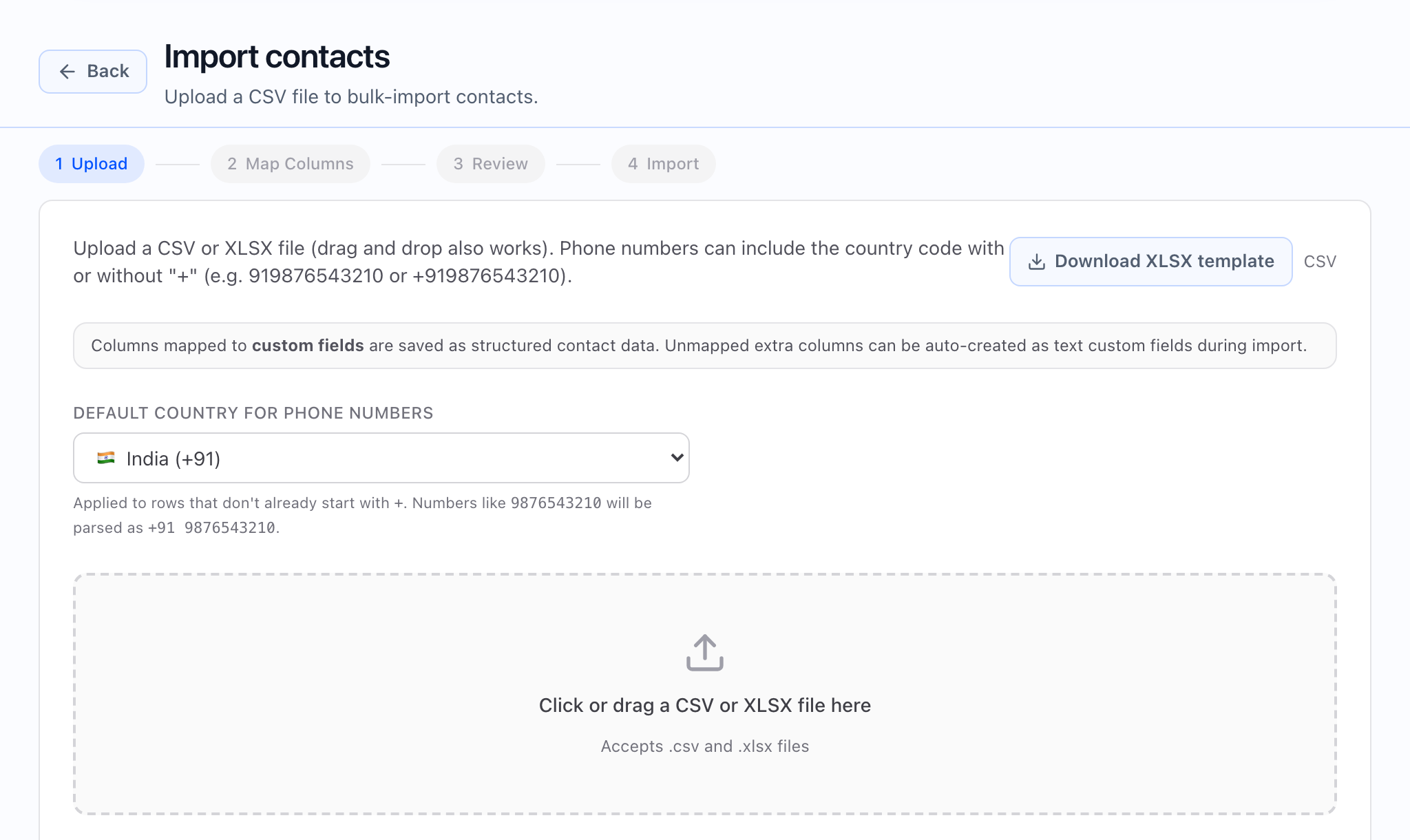
- Imports: During Map columns, you can point spreadsheet columns at your custom fields in addition to standard contact columns.
- Filters and segments: Once defined, fields can appear in Contacts list filters and segments.
- Campaigns and calls: You can use contact data in Contacts → Campaigns and agent variables for personalization and downstream workflows.
What good looks like
- Agree on keys and labels so imports and reports stay consistent.
- Prefer a small, intentional set of fields that everyone actually uses.
- For dropdowns, keep the option list stable so filters and history stay comparable.