
Contacts list, filters, and segments
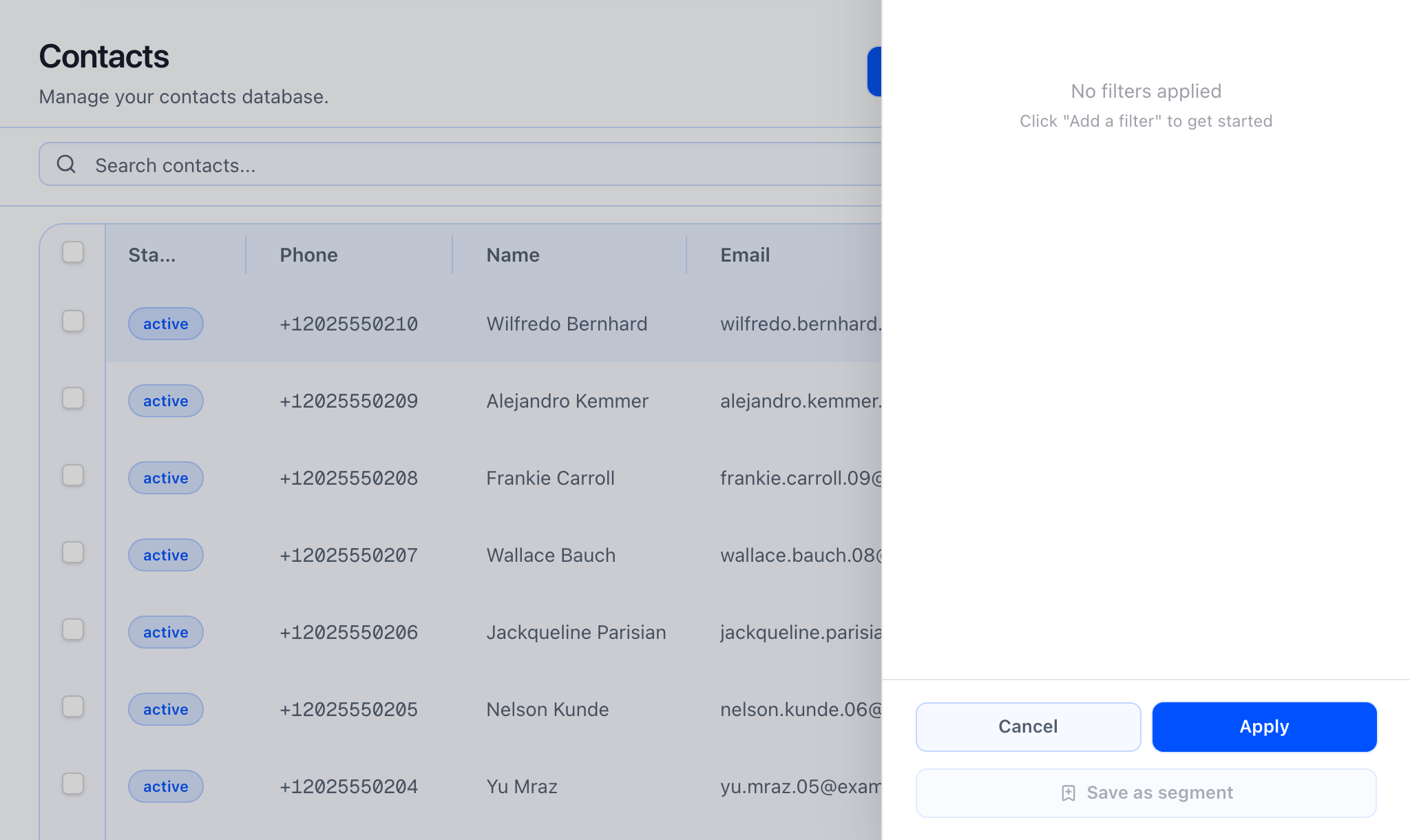
On the Contacts list you can open Filter to build rules: pick a field, an operator, and a value. The filters you can use match what your workspace exposes for contacts (not every field is filterable everywhere). The button shows how many active rules you have so you can see at a glance that a saved view is applied.
Segments are saved sets of those rules (plus your search) so you can return to the same audience without rebuilding filters every time. The address bar can also carry a segment so the list reopens in the same state when you use links from segment detail or bookmarks.
At a glance
- Contacts list — search, structured filters, sort where offered, and pagination. The same filters can feed CSV export from the list.
- Segments (index) — open Segments from the Contacts More menu to see all saved segments and how many contacts each one matches.
- Segment detail — open a segment to read its criteria, preview who matches, and use Open in Contacts to jump back to the list with that segment active so you can refine or re-save.
- Save as segment — when you have at least one filter or a non-empty search, use Save as segment to create a new segment or update the segment you started from (if you opened the list from a segment).
- New segment — from the Segments area you can also create a segment from scratch in the new-segment flow, including custom field criteria when your definitions allow it.
What the “save segment” flow should show: at least one filter or search term, Save as segment opening the dialog, choosing create vs update when you are already working inside a saved segment, and the list refreshing after you save.
Contacts list behavior
Search
Search runs against the contact fields your workspace supports in list search. Typing in the table search box updates the results you see (subject to your filters).
Sorting
Only some columns are sortable. You will see sort controls where the product allows sorting for that field; custom fields may be sortable when your workspace and field type support it.
Filters
Filters are field + operator + value rules. They are kept in the page URL so refresh and shared links can restore the same view. The exact list of filterable fields comes from your workspace — it is not a single fixed list hard-coded in the help article.
 What a segment preview should show: on segment detail, a clear readout of each rule, then Open in Contacts landing on the list with the same people selected and the segment name so you can use Save as segment to update that segment if you change the rules.
When a segment is used in live campaigns, changing the segment’s saved criteria changes who qualifies. Treat segment edits like audience changes in a campaign.
Segments: system-managed
If a segment is marked system-managed in the product, update is disabled in the save dialog. Those definitions are read-only in the UI; create a new segment if you need a variant you can edit.
Export from the list
From the contacts table you can export what you are looking at. Small exports may download immediately from the current search and filters. Very large sets or “select all across pages” may run as a background job; you are sent to the export status screen to wait and download when the file is ready.
Campaigns and segments
In the campaign wizard, choose a segment for Audience and map contact fields to agent variables as needed. For mapping mechanics, use Contacts → Campaigns → Agent variables and the wizard’s audience step doc.