
Contacts → campaigns → agent variables (how data reaches the AI)
This guide explains how data on a contact, a manual call from a contact, and campaign audience settings connect to the agent variables your voice AI uses, so the assistant hears the right facts on each call.
 ## What comes from a contact record
Standard and custom fields
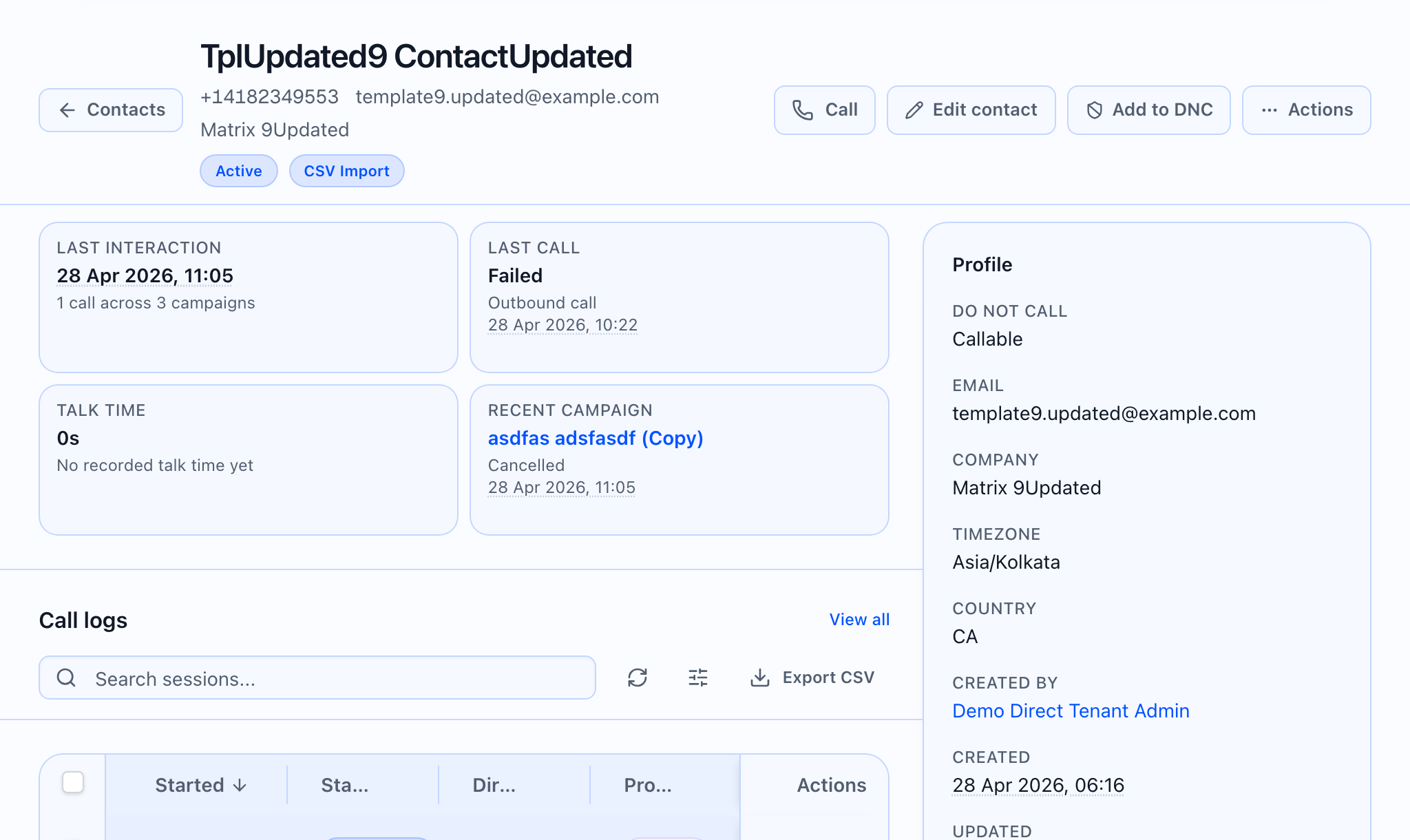
When you place a call from a contact or map audience columns in a campaign, the product can pull values such as name, email, company, timezone, country, and tags, plus any custom fields you defined for contacts. Custom fields are the extra labels you set up in Custom fields; they may appear in mapping lists under the names you gave them.
What you do not see as “custom fields” on the card
The contact detail view may hide a few internal fields from the “extra fields” list — for example, summary fields about the most recent campaign (when and which campaign) — so the profile card stays readable. You still get campaign context elsewhere on the page (for example, a Recent campaign area when the product has that data).
Recent campaign
When the product has a recent-campaign summary for the contact, you may see a Recent campaign area with a link to that campaign and short status, depending on what your workspace returns.
Manual calling from a contact
When you open Call contact on a person’s page:
- You can point each agent variable at a contact field (or a custom field) when the variable is meant to be filled from the record.
- For a one-off test, you can switch a variable to Manual value and type text without changing the stored contact. Variables that are fixed or system-controlled on the campaign may not appear for override here.
- The call uses the field mappings and any manual values you set in the dialog before you start the call.
That lets you try phrasing with different values without saving every experiment on the contact.
Campaigns (bulk audience)
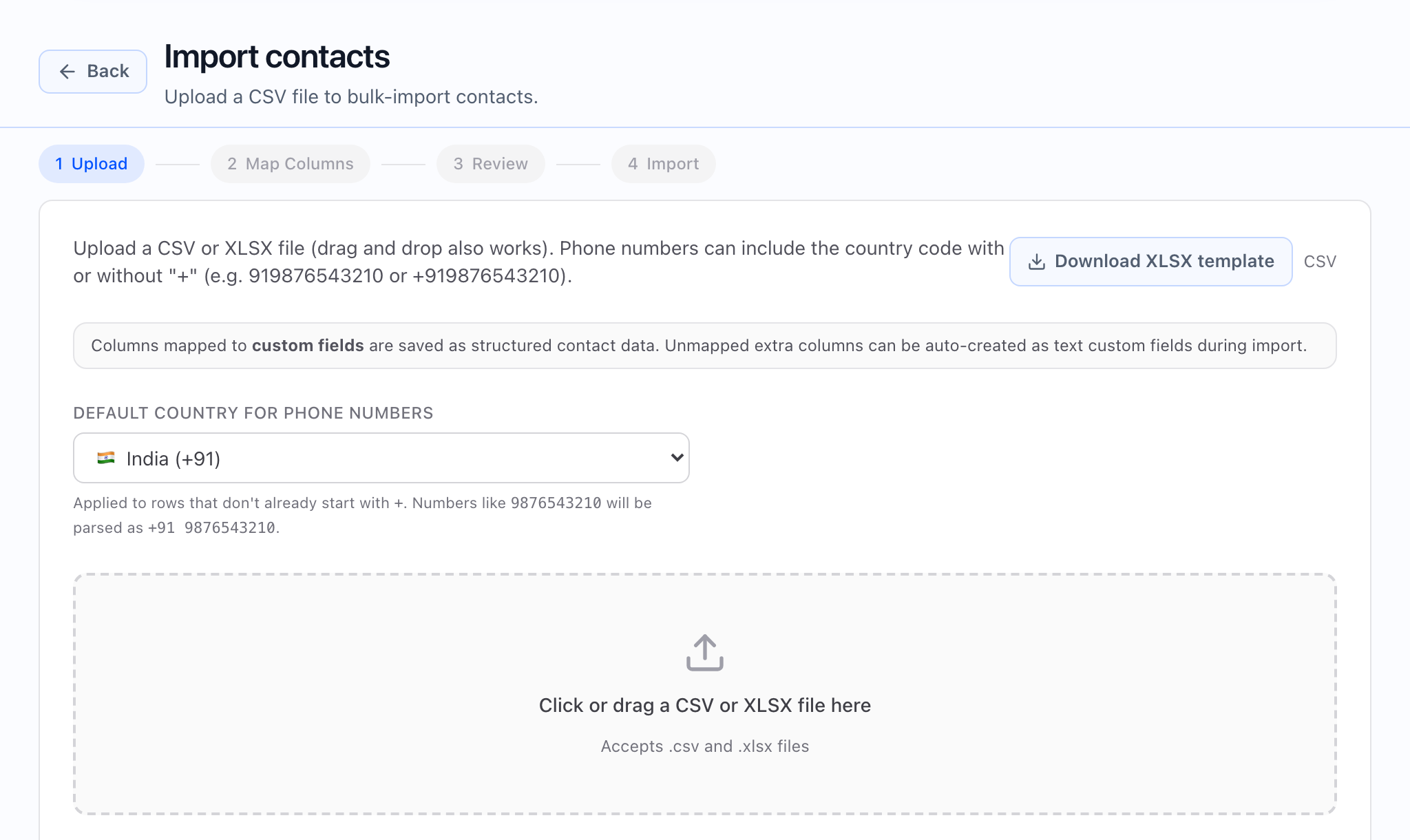
In the Campaign Wizard, especially the Audience step, you choose who to call (for example, a segment or an import) and map spreadsheet or contact columns to agent variables and to the places contact data is stored. You can also set static values on the campaign that apply to every call in the batch the same way.
The exact steps depend on whether the audience is from a file, a segment, or another source, but the idea is the same: audience column → where it lives on the contact (if needed) → which agent variable uses it for the agent script.
Making manual calls and campaigns match
- Manual call dialog — you usually only map variables that are not already locked to a fixed (static) value for that flow.
- Campaign wizard — it uses the same agent definition; naming variables clearly and reusing the same field names in both places reduces surprises when you test one call manually and then scale with a campaign.
Practical tips
- If a value should follow the person for every call, store it as a standard or custom field on the contact so both Call contact and campaigns can use it.
- If you need a one-off line for a test, use Manual value in Call contact without editing the contact.
- If every call in a campaign should use the same wording or ID, set that on the campaign as a static or template value in the audience step, per your wizard.
The manual call dialog and the campaign wizard both read the same agent variable list; aligning names and field choices reduces surprises between a pilot manual dial and a launched campaign.