
Manual calling from a contact
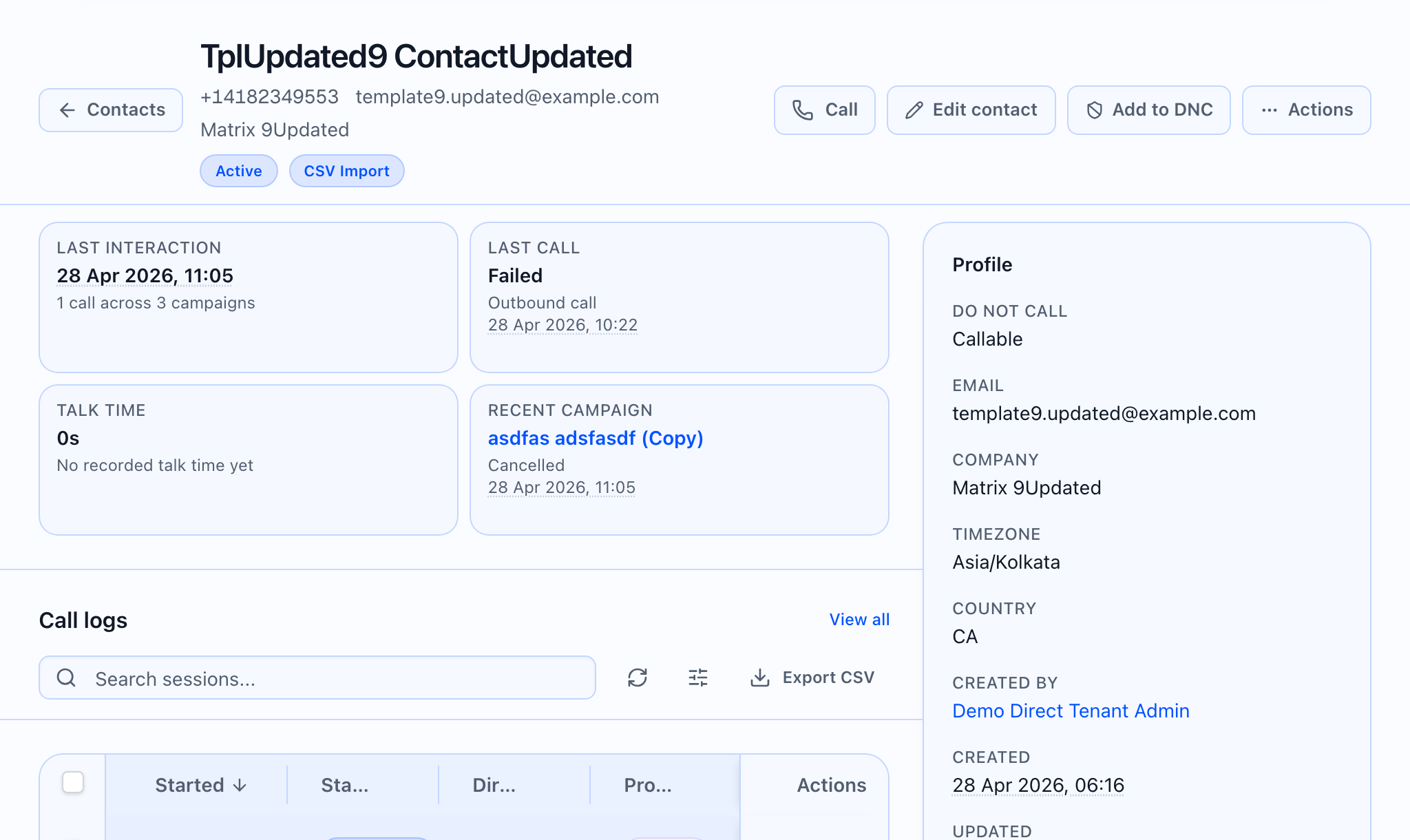
Call opens Call contact: you pick an active from-number, an agent, and optional variable mappings, then the app places an outbound call to this contact.
 ## When Call appears
On the contact detail page, you only see Call when all of the following are true:
- A tenant is selected for your session (so the system knows which account to bill and route the call).
- The contact is not on the Do Not Call list.
- The contact is active (not deleted or archived in a way that blocks calling).
If the contact is removed or blocked in a way that hides edit/DNC, those controls are hidden as well.
Dialog flow
- Title: Call contact
- Description: States the AI agent will place an outbound call to the shown contact name (or phone).
- Trigger button: Call with phone icon.
When opened, the app loads active phone numbers, active agents, and your custom field definitions so variables can be mapped to contact data.
From number: pick among your active numbers; the first is selected by default. Empty state: No active phone numbers found. Add a phone number first.
Agent: search (Search agents…). Disabled until a from-number is selected. Placeholder Select phone number first until then, then Search agents…. Empty state: No active agents found. Create and publish an agent first.
Agent variables (mappable only)
Only variables that are meant to be filled at call time appear here—static values and built-in system fields (phone numbers, direction, contact and campaign ids, recording flags, etc.) are not listed.
For each variable you can set:
- Source: Manual value, or a field from the contact (name, email, company, timezone, country, tags, and any custom fields).
- Value / Preview: type a value, or see the value pulled from the contact (No current contact value when empty).
The dialog tries to pre-select a source that already has a value on this contact, then common field names, then Manual value.
Start call
Start call sends the tenant, agent, contact, selected number, destination number, any manual values you entered, and mappings for fields you chose from the contact.
Start call is disabled while a call is in progress or if numbers or agents failed to load, or if a from-number or agent is not selected.
The success message may include a provider call id when the server returns one; otherwise you see a generic “call started” style confirmation. After success, the footer offers Close; otherwise Cancel and Start call (with Calling… and a spinner while the request is in flight).
Use **Agent variables** in this dialog to confirm mappings before scaling the same agent in a campaign audience.