
How the AI handles calls
In this product, “how the AI behaves” is not a single switch—it is the Create agent / Edit agent wizard. The in-app stepper is the source of truth: Basics → Voice → Variables & Pre-Call → Prompt & Goals → Data Extraction → User Defined tools → Default tools → Advanced → Publish.
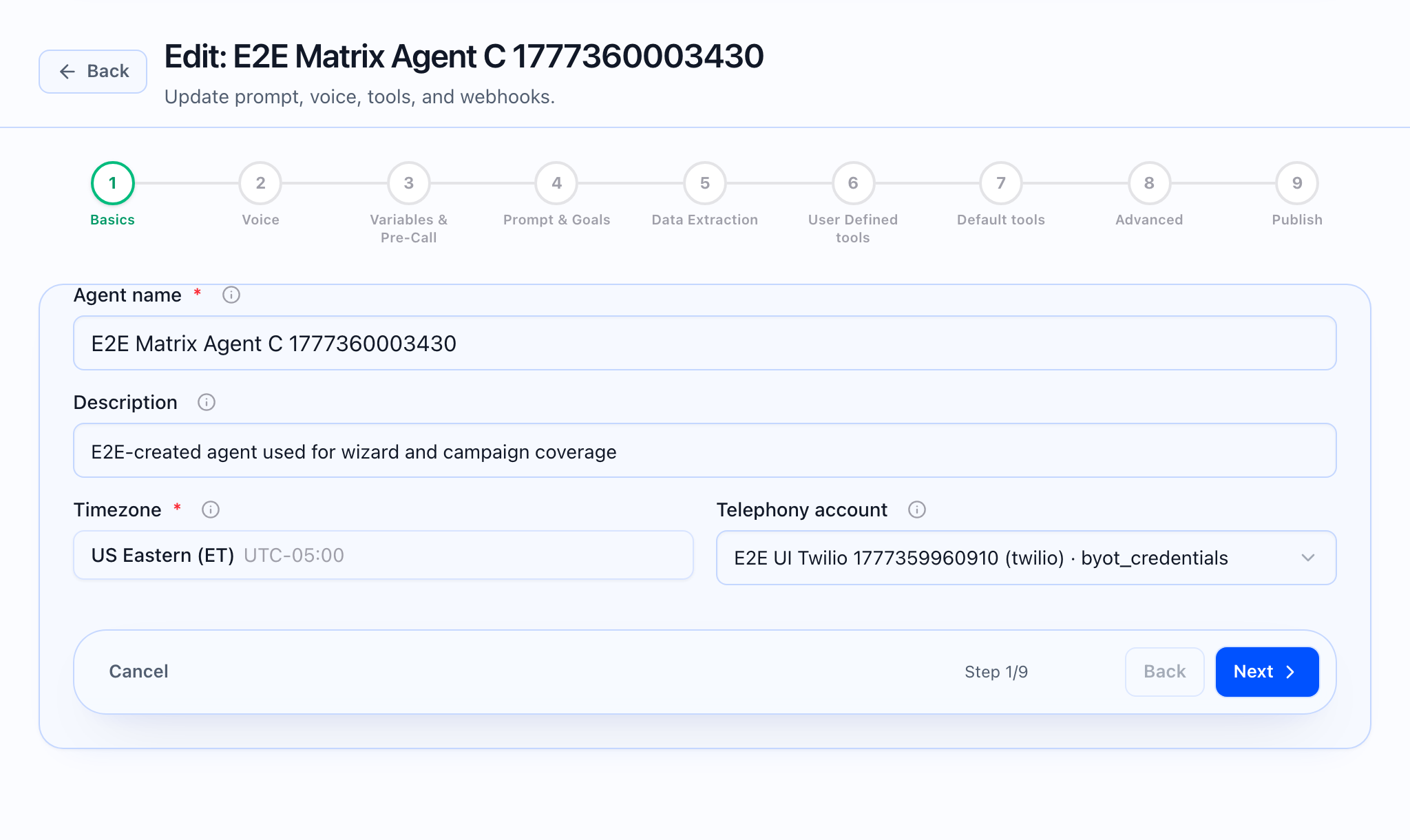
What the static should show: The agent wizard with the stepper visible and Prompt & Goals (step 4) or Default tools (step 7) selected, matching the narrative below.
Layers the runtime can use
-
Platform rules (tenant prompt addendums). The Platform rules page explains that these packs are merged first into the voice agent system prompt, above persona and tools. In Step 4, you can pick a Tenant platform rules pack (including the tenant default) or None. Create and manage packs from Platform rules (the app provides new and edit entry points for each pack).
-
Persona and prompt sections from Step 4. Identity, knowledge text or linked KB, call flow, objection handling, discovery, close, guardrails, optional custom instructions and style addendum, plus Conversation goals and separate inbound vs outbound greetings. All of these contribute to a single Total prompt budget (40,000 characters, per product limits).
-
Pre-call data (Step 3). Variables and an optional pre-call HTTP layer feed placeholders like
{{caller_name}}and structured context before the model speaks. -
Tools (Steps 6–7). User Defined tools attach HTTP tools from the Tool library; Default tools configure built-ins such as transfer, collect data, end call, post-call webhook, and call-analysis attachments, per the slide-over editor on those steps.
-
Advanced (Step 8). Superadmin or tenant-level model and runtime options exposed in the wizard (conversation mode, STT/TTS keys where applicable—see the step in the app for your role).
-
Publish (Step 9). You go live when the config validates and you complete publish; the agent page under Agents shows Published vs Draft and Version history.
What the GIF should show: Stepping from Variables & Pre-Call into Prompt & Goals and opening the platform rules pack dropdown, or opening Default tools to show transfer/post-call.
What this means in practice
- The model follows your merged instructions and goals, not a hidden generic playbook.
- Inbound vs outbound use different greetings; direction is automatic based on how the call is placed (see field help text on Step 4).
- Knowledge for the agent is either custom text or a linked knowledge base (Pro-gated in the card when not available). Published knowledge bases are created from the app’s Knowledge base area.
- Call analysis templates for post-call processing are configured per tenant on the Call analysis prompts page and can be attached in Default tools; they analyze transcripts after the call—they are not the live voice prompt.
What the video should show: A short tour: Platform rules → agent Prompt & Goals → Tool library → test call or publish.