
Workspace users: invite, activate, deactivate
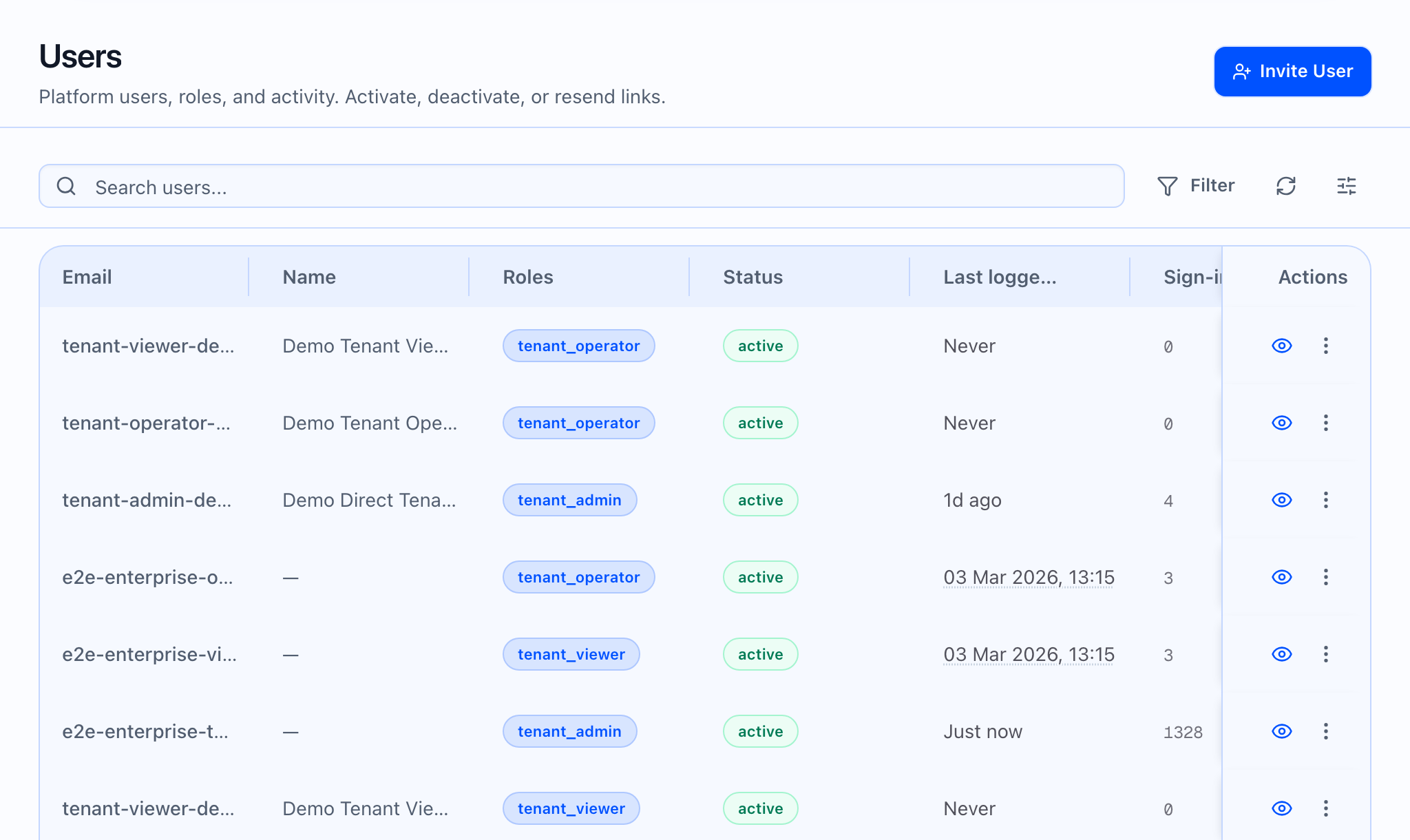
Open Users. The title is Users or Partner users depending on context. You need a tenant selected for tenant-scoped lists; partner lists may work without a tenant. The subtitle explains roles and activity and that you can activate, deactivate, or resend links.
Use Invite User to send an invitation email. Choose a role: Tenant Admin, Tenant Operator, or Tenant Viewer, then Send Invitation.
For partner organizations, Add partner user invites someone with Partner Admin, Partner Operator, or Partner Viewer. Navigate to the partner user directory from Users when your org uses partner scope.
From each user’s row menu you can Resend confirmation link, Send reset password link, Deactivate (with a confirmation naming the email), or Activate (with confirmation). There is no “delete user forever” control—lifecycle is invitation plus activate and deactivate.
Partner users vs tenant users
Partner users is the directory when you are managing the partner org without a tenant context. Add partner user appears for partner admins on that list. Tenant Users requires a selected tenant for most platform roles.
Platform staff (separate from tenant team)
Superadmins may see Add platform user and a dedicated Platform users directory. Ordinary tenant billing and team management use Users and Partner users; platform staff are managed separately.